| Choosing the right retail POS System becomes easier with a simple three-step framework: identify your operational needs, compare essential features, and test the system before committing. Start by mapping how your store handles checkout, inventory, employees, and customers. Then compare solutions against those requirements. Finally, request a demonstration or trial to confirm the system works smoothly in real retail conditions. |

Table of Contents
- Why Choosing the Right Retail POS Matters
- Essential Features to Compare
- Inventory Management
- Checkout Speed Can Affect Customer Experience
- Proof From a Retail POS Customer
- Understand the Hardware You Actually Need
- Get a Custom Retail POS Quote
- Compare the Total Cost, Not Just Monthly Pricing
- Consider Payment Flexibility
- Check Reporting Before You Buy
- Look at Integrations Carefully
- Use This 3-Step POS Selection Framework
- Final Thoughts
- Frequently Asked Questions
Why Choosing the Right Retail POS Matters
A point-of-sale system sits at the center of daily retail operations. It processes purchases, but modern platforms can also track inventory, manage employees, organize customer information, produce sales reports, and connect physical stores with online channels. If you’re new to POS technology, this guide on what a POS terminal is provides a helpful overview of how these systems support daily business operations.
Choosing poorly can create problems that extend far beyond a slow checkout. Staff may struggle with complicated software, inventory records can become inaccurate, managers may lack useful sales information, and customers can face unnecessary delays.
The best POS for retail should make everyday operations simpler while providing enough flexibility to support the business as it grows.
Essential Features to Compare
Modern retail POS platforms can offer hundreds of capabilities. Most retailers, however, should prioritize a smaller group of features that directly affect daily operations.
| Feature | Why it Matters |
| Fast Checkout | Helps reduce queues and customer waiting |
| Inventory Management | Tracks stock as products are sold |
| Sales Reporting | Shows revenue and product performance |
| Employee Management | Tracks access, shifts, and performance |
| Customer Management | Helps maintain customer records |
| Multiple Payments | Gives customers greater payment flexibility |
| Multi-Location Support | Connects stores through one system |
| eCommerce Integration | Synchronizes online and physical sales |
| Returns Management | Simplifies refunds and exchanges |
| Cloud Access | Allows authorized remote access to business data |
Inventory Management
Inventory should update automatically whenever products are sold, returned, or transferred.
Imagine a fashion retailer carrying hundreds of products across different colors and sizes. Manually checking stock becomes impractical very quickly.
A capable POS can show which sizes are running low, which products are selling quickly, and which items have barely moved. Businesses looking for these capabilities can compare some of the best POS systems with inventory management to see how advanced inventory features improve day-to-day operations.
Look Beyond Basic Stock Counts
Growing retailers may also benefit from:
- Low-stock alerts
- Purchase order management
- Product variants
- Barcode management
- Supplier information
- Stock transfers
- Multi-location inventory
- Inventory reporting
The objective is not simply knowing what is available. Good inventory data helps retailers make better purchasing decisions.
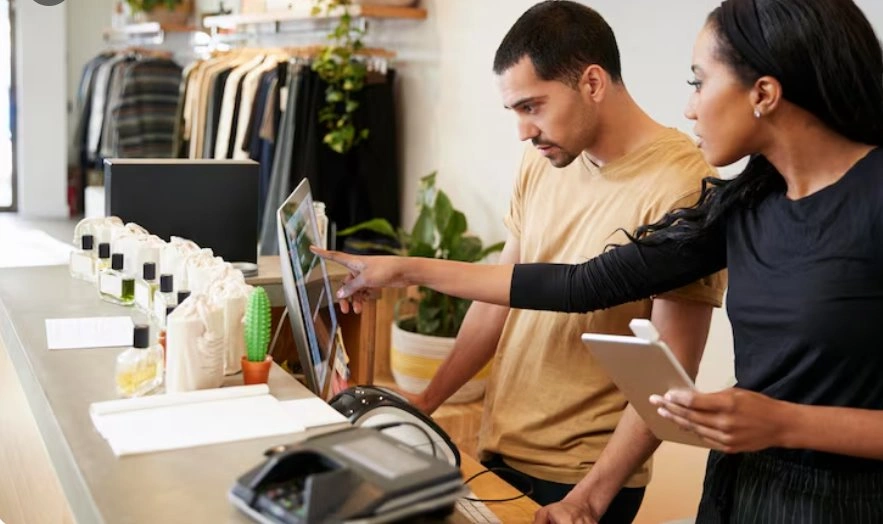
Checkout Speed can Affect Customer Experience
Customers rarely think about POS technology when everything works properly. They notice it immediately when it does not.
Slow software, unreliable card readers, complicated interfaces, or unnecessary checkout steps can create longer queues during busy periods.
Consider a convenience store processing hundreds of small purchases each day. Saving even a few seconds per transaction can make a noticeable difference during peak hours. Businesses focused on improving service can also learn how a POS machine enhances the customer experience during every transaction.
Retailers should therefore test how quickly employees can:
- Add products
- Apply discounts
- Accept payments
- Process returns
- Complete transactions
A demonstration should replicate everyday scenarios rather than showing only ideal conditions.
Proof from a Retail POS Customer
Multi-location Management Made Simpler
Real customer experiences can reveal what technical specifications sometimes miss.
“I own three retail locations and managing inventory across all of them used to be a constant headache. I upgraded to Square POS system with their help and now everything ties together in one place and I can see exactly what is happening at each store from my phone at any time.”
Judith Potter
June 17, 2026
https://www.trustpilot.com/reviews/6a4252bec9889effb8def29c
This experience highlights an important benefit for multi-location retailers: centralized inventory and store visibility can make it easier to stay informed across multiple locations without relying on separate systems.
Understand the Hardware You Actually Need
POS software is only part of the setup.
Depending on the store, hardware can include terminals, card readers, barcode scanners, cash drawers, receipt printers, customer displays, tablets, and other devices.
A boutique may only need a tablet, payment reader, and receipt printer. A supermarket may require several checkout lanes with scanners, displays, printers, and integrated payment terminals. If portability is important, it’s worth comparing the best tablet POS systems or exploring the advantages of wireless POS systems for faster and more flexible checkouts.
Get a Custom Retail POS Quote
Every retail environment is different. Instead of paying for features or hardware your store may never use, get a custom Retail POS quote based on your locations, checkout volume, inventory requirements, hardware needs, and growth plans.
Compare the Total Cost, Not Just Monthly Pricing
A low monthly subscription can look attractive until additional expenses appear.
When evaluating a POS, calculate the total cost of ownership.
Costs May Include
| Cost Area | What to Check |
| Software | Monthly or annual subscription |
| Hardware | Terminals, readers, scanners, printers |
| Payments | Transaction processing charges |
| Installation | Setup and configuration costs |
| Training | Staff onboarding expenses |
| Add-ons | Loyalty, analytics, or other modules |
| Integrations | Third-party software connections |
| Support | Premium service plans |
| Upgrades | Replacement or additional hardware |
A cheaper system can become more expensive if essential functionality requires multiple paid add-ons.
Request a detailed quote and clarify which features are included before signing an agreement.
Consider Payment Flexibility
Customer payment preferences continue to evolve.
Your POS should support the methods commonly used by your shoppers, which may include credit cards, debit cards, contactless cards, mobile wallets, gift cards, or other supported payment options.
Check Reporting Before You Buy
A modern retail POS System should tell you more than how much money entered the register today.
Useful reporting can answer practical questions such as:
- Which products sell most frequently?
- What are the busiest hours?
- Which location generates the highest revenue?
- Which products have weak turnover?
- How do promotions affect sales?
- What is the average transaction value?
- How are individual locations performing?
Reports Should Lead to Decisions
Data becomes valuable when retailers can act on it.
For example, if reports consistently show increased sales between 5 PM and 8 PM, managers can adjust staffing accordingly. If one product performs strongly at one location but poorly at another, inventory can potentially be redistributed rather than reordered unnecessarily.
Look at Integrations Carefully
Your POS rarely operates alone.
It may need to communicate with:
- Accounting software
- eCommerce platforms
- Loyalty programs
- Customer relationship management tools
- Employee scheduling software
- Inventory applications
- Marketing platforms
Poor integration can create duplicate work. Employees may have to enter the same information into multiple systems, increasing both workload and the possibility of errors.
Before choosing a POS for retail, identify the applications your business already depends on and confirm whether suitable integrations are available.

Use this 3-step POS Selection Framework
Step 1: Define
Document your transaction volume, inventory complexity, locations, employees, payment methods, integrations, and expected growth.
Step 2: Compare
Create a shortlist and compare each provider against the same requirements. Include functionality, hardware, payment processing, integrations, security, support, and total costs.
Step 3: Test
Request a demonstration or trial whenever available. Have actual employees test common tasks such as completing purchases, processing returns, searching inventory, and generating reports.
Testing often reveals usability issues that feature lists cannot.
Final Thoughts
Choose a retail POS that fits current operations, simplifies transactions, supports employees, improves reporting, integrates essential tools, controls costs, and provides enough flexibility to scale as your business grows.
Related Reading:
| Best POS Systems with Inventory Management What is a POS Terminal? A Complete Guide for Business Owners |
Frequently Asked Questions
1. What should I look for in a retail POS system?
Look for fast checkout, inventory tracking, sales reporting, employee management, payment flexibility, integrations, and reliable support. Your chosen system should match current operational requirements while providing enough scalability to accommodate additional products, employees, locations, and sales channels as your business grows.
2. How much does a retail POS system cost?
Retail POS costs vary depending on software subscriptions, hardware requirements, payment processing fees, integrations, locations, and additional features. Businesses should compare total ownership costs rather than monthly pricing alone, including terminals, card readers, maintenance, support, upgrades, and optional software modules before purchasing.
3. Can one POS system manage multiple retail locations?
Yes. Many cloud-based POS systems allow retailers to manage multiple locations through one centralized platform. Owners can monitor sales, track inventory, compare store performance, manage employee permissions, and access business reports remotely, helping growing retailers maintain greater visibility across their entire operation.
4. Why is inventory management important in retail POS?
Inventory management helps retailers understand what is selling, what needs restocking, and which products are moving slowly. Automatic stock updates can reduce manual work, improve purchasing decisions, prevent unnecessary overstocking, and give managers clearer visibility into inventory across one or multiple retail locations.
5. Should retailers test a POS system before purchasing?
Yes. Testing allows retailers to evaluate checkout speed, usability, reporting, inventory functions, and everyday workflows before committing. Employees should perform realistic tasks such as processing purchases, handling returns, applying discounts, and checking stock to determine whether the system fits actual store operations effectively.