Choosing between Lightspeed and Clover POS often comes down to what kind of business you run and how much room you need to grow. Both are established point-of-sale systems, but Lightspeed vs Clover POS is not really a question of which one is “better.” It is a question of which one is built for your type of operation.
| Quick answer: Lightspeed POS vs Clover POS generally breaks down like this: Lightspeed tends to suit retail and restaurant businesses that need deep inventory management, multi-location reporting, and industry-specific features. Clover tends to suit smaller, simpler operations that want an easy-to-set-up countertop system with flexible hardware and a large app marketplace. Neither system is universally better; the right choice depends on your business size, industry, and how much complexity you actually need. |

Table of Contents
- What Are Lightspeed and Clover, at a Glance?
- Lightspeed vs. Clover POS: Core Features Compared
- Which Industries Does Each POS Fit Best?
- Pricing: Lightspeed vs. Clover POS
- Hardware and Setup Differences
- Which Should You Choose?
- FAQs
What Are Lightspeed and Clover, at a Glance?
| Definition: Lightspeed is a cloud-based point-of-sale platform built around detailed inventory management, multi-location reporting, and industry-specific tools for retail and restaurants. Clover is a point-of-sale system known for its flexible hardware options, simple setup, and large app marketplace, aimed at businesses that want a straightforward countertop or mobile solution. |
Both process payments, track sales, and manage basic inventory, but the depth of features and the type of business each one is built for differ quite a bit once you look past the basics. If you’re new to POS technology, it helps to first understand what a POS terminal is and how it works before comparing different platforms.
Lightspeed vs. Clover POS: Core Features Compared
| Feature | Lightspeed | Clover |
| Inventory management | Deep, multi-location, industry-specific | Basic to moderate, simpler catalogs |
| Reporting | Advanced analytics across locations | Straightforward sales and inventory reports |
| App marketplace | Smaller, industry-focused integrations | Large, broad third-party app marketplace |
| Best suited for | Multi-location retail and full-service restaurants | Small shops, cafes, and single-location businesses |
| Setup complexity | More involved, more configuration options | Quicker, more plug-and-play |

Which Industries Does Each POS Fit Best?
Industry fit is often the clearest way to decide between Lightspeed POS vs Clover POS:
- Multi-location retail chains tend to prefer Lightspeed for its centralized inventory and reporting across stores.
- Full-service restaurants with complex menus and table management often lean toward Lightspeed’s restaurant-specific tools.
- Quick-service cafes and small food businesses frequently choose Clover for its fast setup and simpler daily operations.
- Single-location boutique retailers often find Clover’s app marketplace flexible enough without needing Lightspeed’s deeper feature set.
- Pop-up shops and mobile vendors commonly favor Clover’s compact, flexible hardware options.
Pricing: Lightspeed vs. Clover POS
Both systems are priced based on plan tier, hardware choice, and payment processing terms, so exact costs vary by business. In general:
- Lightspeed pricing tends to scale with the number of locations and the depth of features enabled, such as advanced inventory or multi-store reporting
- Clover pricing is often structured around hardware bundles plus a monthly software plan, which can be simpler to estimate for a single location
- Both systems charge separately for payment processing, so it is worth comparing processing rates alongside the software fee
- Add-on apps in Clover’s marketplace can add incremental monthly costs depending on which integrations a business needs
Getting an accurate quote for your specific setup is the only reliable way to compare Lightspeed vs Clover POS costs, since list pricing rarely reflects what a business actually pays once hardware and processing are factored in. You can also explore how much POS systems typically cost to better understand the overall investment.
Hardware and Setup Differences
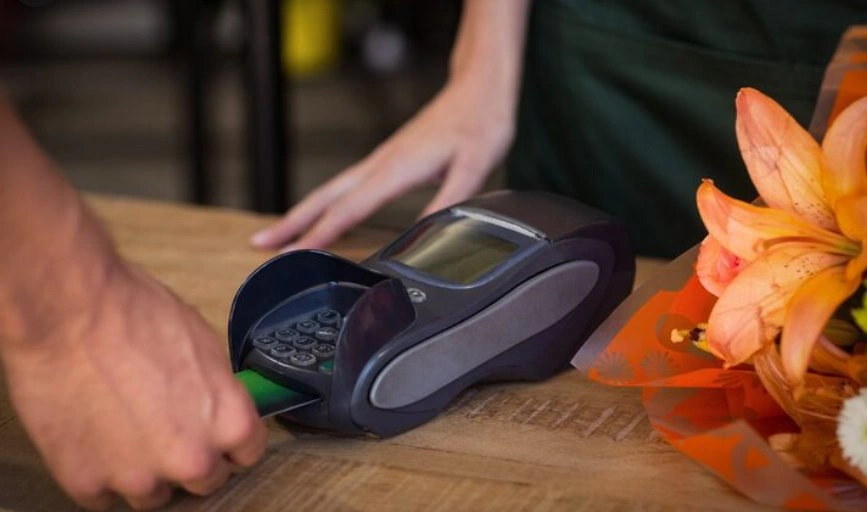
Clover is generally known for a wider range of dedicated hardware, from compact countertop terminals to handheld devices, which makes it easy to match hardware to a small footprint. Lightspeed typically runs on a broader range of third-party hardware and tablets, giving retailers more flexibility but sometimes requiring more setup decisions upfront. Businesses comparing hardware options may also benefit from reading about the best credit card terminals for different business needs before making a final decision.
Which Should You Choose?
If your business runs multiple locations, needs detailed inventory tracking, or operates a full-service restaurant, Lightspeed is usually the stronger fit. If you run a smaller, single-location shop or cafe and want a system that is quick to set up with flexible hardware, Clover often makes more sense. The Lightspeed vs Clover POS decision ultimately comes down to how much complexity your operation actually needs today, and how much room you expect to need as you grow.
| If you’re still exploring different platforms, comparing the different types of POS systems can help narrow down the best option for your business before making a final investment. |
FAQs
Is Lightspeed or Clover POS better for restaurants?
Lightspeed is generally stronger for full-service restaurants with complex menus and table management, while Clover suits quick-service or counter-service food businesses better.
Which is cheaper, Lightspeed or Clover POS?
It depends on your setup. Clover’s hardware bundles can be simpler to estimate for one location, while Lightspeed’s cost scales with features and the number of locations.
Can I switch from Clover to Lightspeed later, or vice versa?
Yes, but migrating inventory, sales history, and integrations takes planning. Most businesses work with a POS specialist to avoid data loss during the switch.
Does Clover support multi-location businesses?
Clover can support multiple locations, but Lightspeed’s centralized reporting and inventory tools are generally built more specifically for multi-location retail and restaurant chains.
Which POS system is easier to set up, Lightspeed or Clover?
Clover is generally quicker and more plug-and-play, while Lightspeed involves more configuration upfront due to its deeper feature set.