| A POS system is software and hardware that processes customer payments while managing inventory, sales, customer information, and business reporting. A modern small-business POS helps streamline daily operations, improve efficiency, reduce manual work, and provide valuable insights to support smarter business decisions. |

Table of Contents
- What Is a POS System?
- How Does a POS System Work?
- Why Modern Businesses Depend on POS Systems
- Key Components of a POS System
- Benefits of a POS System for Small Businesses
- Who Should Use a POS System?
- How to Choose the Right POS System
- Common Mistakes When Choosing a POS System
- Final Thoughts
- FAQs
What Is a POS System?
A POS system is a combination of software and hardware that enables businesses to process sales, accept payments, manage inventory, track customer information, and generate reports from one centralized platform.
A Point of Sale system is the combination of software and hardware that allows businesses to complete sales transactions while managing essential day-to-day operations. Every time a customer purchases a product or service, the POS system records the transaction, processes the payment, and updates important business information in real time.
Unlike traditional cash registers that simply record sales, modern POS systems combine payment processing, inventory management, reporting, employee management, and customer tracking into one easy-to-use solution. This allows business owners to spend less time on manual tasks and more time serving customers and growing their business. If you’re new to POS technology, it’s also helpful to understand what a POS terminal is and how it works.
How Does a POS System Work?
Although using a POS system may seem simple, several automated processes occur every time a sale is completed.
1. A Product or Service Is Selected
The cashier scans a barcode, searches for an item within the POS system, or selects the service being provided. Restaurants may enter menu items, while salons may select appointment services instead of physical products.
2. The System Calculates the Total
The POS software automatically calculates product prices, taxes, promotional discounts, loyalty rewards, and any applicable service charges. This reduces pricing mistakes and speeds up the checkout process.
3. The Customer Completes Payment
Customers can choose from several payment methods, including credit cards, debit cards, mobile wallets, contactless payments, and cash. Once payment has been approved, the transaction is securely completed within seconds.
Once payment has been approved, the transaction is securely completed within seconds.
4. A Receipt Is Generated
Customers receive either a printed receipt or a digital receipt through email or text message, depending on their preference.
5. Business Records Update Automatically
After every completed sale, the POS system immediately updates inventory levels, customer purchase history, employee sales records, and financial reports without requiring manual data entry.
Why Modern Businesses Depend on POS Systems
Technology has changed customer expectations. People expect fast checkouts, flexible payment methods, and accurate service every time they visit a business.
A modern POS system helps businesses meet those expectations while improving operational efficiency behind the scenes. Instead of switching between multiple software platforms or maintaining spreadsheets, business owners can access sales reports, inventory updates, customer information, and employee performance from one centralized dashboard. Businesses looking for an all-in-one solution should also explore how an integrated POS system works.
Key Components of a POS System
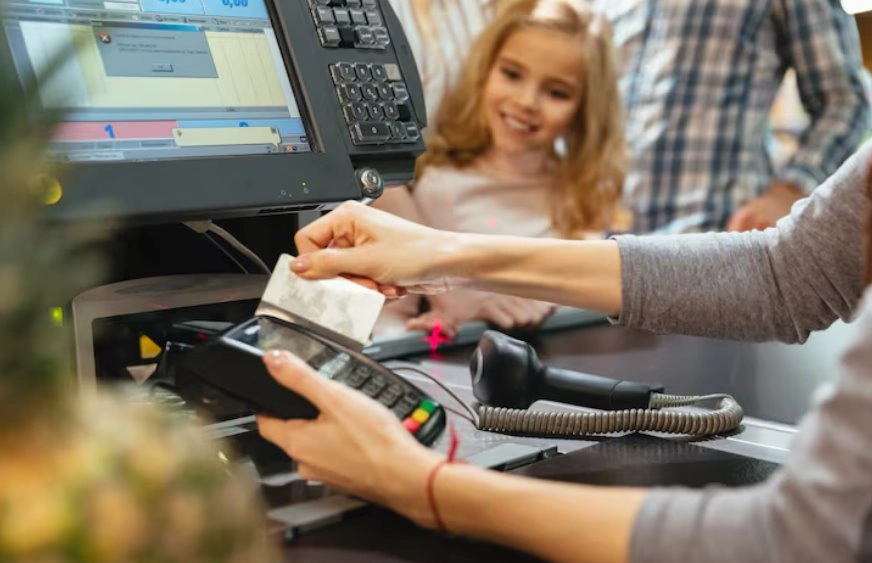
Every business has different operational requirements, but most POS systems include several essential components that work together. A typical setup includes POS software for managing sales and business operations, a touchscreen terminal or computer, a barcode scanner, a receipt printer, a cash drawer, a card payment terminal, inventory management tools, and customer management features.
Many businesses also choose cloud-based POS systems so they can monitor operations remotely using a computer, tablet, or mobile device. If you’re comparing deployment options, read our guide on cloud vs. on-premise POS systems. Many businesses also choose cloud-based POS systems so they can monitor operations remotely using a computer, tablet, or mobile device.

Ready to Upgrade Your Business Operations?
If you are looking for a smarter way to manage payments, inventory, customer information, and daily operations, investing in the right POS system can make a significant difference.
Speak with a trusted POS provider to explore solutions designed specifically for your business size, industry, and future growth goals. You can also download our Free POS Buyer’s Checklist to compare features and choose the best solution with confidence.
Benefits of a POS System for Small Businesses
Modern POS systems provide far more value than processing payments.
Faster Checkout Experience
Quick transactions reduce customer waiting times and improve satisfaction during busy periods. Faster service also allows employees to assist more customers throughout the day.
Better Inventory Management
Inventory updates happen automatically after every sale through the POS system. This helps business owners identify low stock levels, prevent overselling, and make smarter purchasing decisions.
Accurate Sales Reporting
Business owners can review daily, weekly, monthly, or yearly sales reports with just a few clicks. These insights help identify bestselling products, seasonal trends, and opportunities for increased profitability.
Improved Customer Experience
Many POS systems store customer purchase history, making it easier to create loyalty programs, personalized promotions, and targeted marketing campaigns that encourage repeat business.
Easier Employee Management
Managers can assign employee permissions, monitor individual sales performance, review completed transactions, and maintain accountability across the entire team.
Improved Business Decision Making
Real-time reporting allows owners to identify successful products, monitor peak business hours, evaluate employee productivity, and make informed decisions based on reliable data rather than assumptions.
Traditional Cash Registers Versus Modern POS Systems
| Feature | Cash Register | POS System |
| Payments | Cash only or basic payments | Multiple payment options |
| Inventory | Manual tracking | Automatic tracking |
| Reports | Basic sales totals | Real-time reports |
| Customer Data | Not stored | Customer profiles |
Who Should Use a POS System?
Nearly every small business can benefit from using a POS system.
- Retail stores
- Restaurants and cafes
- Grocery stores
- Beauty salons
- Medical clinics
- Service providers
- Pop-up shops
- Specialty boutiques
Whether you sell products, appointments, memberships, or professional services, a POS system helps simplify business operations while improving overall efficiency. Different businesses can also benefit from understanding the different types of POS systems before making a decision.
How to Choose the Right POS System
Not every POS solution offers the same capabilities, making it important to evaluate your business needs carefully before making a decision. Consider factors such as ease of use for employees, inventory management features, supported payment methods, reporting and analytics capabilities, customer loyalty programs, accounting software integration, business scalability, reliable customer support, data security features, and mobile accessibility.
Choosing a scalable solution ensures your POS system continues supporting your business as it grows. Before investing, it’s also worth reviewing how much POS systems typically cost and comparing the essential POS features every business should look for.
Common Mistakes Small Businesses Make When Choosing a POS System
| Mistake | Why It Creates Problems |
| Choosing the cheapest option | Important features may be missing, leading to additional costs later |
| Ignoring future business growth | The system may not support additional employees or locations |
| Overlooking customer support | Technical issues become more difficult to resolve quickly |
| Not checking software compatibility | Manual work increases when systems cannot share information |
| Skipping employee training | Staff cannot fully utilize available features |
Final Thoughts
A small business POS system is much more than a payment solution. It serves as the operational backbone of a modern business by unifying sales, inventory, customer management, reporting, and payment processing into a single centralized platform.
As customer expectations continue to evolve, businesses need reliable technology that improves efficiency without increasing complexity. Investing in the right POS system allows owners to automate repetitive tasks, gain valuable business insights, improve customer satisfaction, and position their business for sustainable growth. Whether you are opening your first location or expanding an established business, selecting the right POS solution is an investment that can deliver long-term value.
| Read next:Best Restaurant POS Systems for Small Businesses in 2026POS System v. Cash Register: Which Makes Sense for Small Businesses? |
FAQs
1. What is a POS system used for?
A POS system helps businesses process customer payments, manage inventory, record sales, generate financial reports, and organize customer information. It centralizes daily business operations, making it easier for owners to improve efficiency, reduce manual work, and make informed decisions using accurate real-time data.
2. Can small businesses benefit from a POS system?
Yes. A small business POS helps businesses benefit from faster checkouts, automated inventory tracking, detailed sales reporting, and improved customer management. It also reduces administrative work, minimizes human error, and provides valuable insights that help owners make smarter decisions while supporting future business growth.
3. Does a POS system work for service-based businesses?
Absolutely. Service-based businesses such as salons, clinics, repair centers, fitness studios, and consulting firms can use POS systems to schedule appointments, process payments, maintain customer records, track employee performance, and generate reports that improve both customer service and operational efficiency.
4. What equipment is needed for a POS system?
Most POS systems include a touchscreen terminal, payment reader, barcode scanner, receipt printer, cash drawer, and POS software. Depending on your business type, you may also add inventory management tools, mobile devices, kitchen displays, or customer-facing payment terminals.
5. How do I choose the right POS system for my business?
Choose a POS system that matches your business size, industry, and future goals. Consider ease of use, payment flexibility, reporting capabilities, inventory management, customer support, software integrations, and scalability to ensure the solution continues meeting your needs as your business grows.