Running a modern retail store is not just about selling products, it’s about delivering a smooth, connected shopping experience. Customers browse online, visit your store, compare prices, and expect your staff to know exactly what’s in stock. That’s where POS systems that integrate with Shopify become essential.
Shopify gives you a powerful online platform, but your store truly runs at its best when your checkout, inventory, and customer data are fully synced. A strong Shopify POS integration keeps your stock accurate, your reports clean, and your team confident. It saves you from long nights fixing mismatched numbers and helps your business run like one connected system.
In this guide, we’ll explore the best POS systems that integrate with Shopify, how they work, what is an integrated POS system, and how to choose the right one for your store’s size, style, and growth goals.
The Retail Revolution: Why Your Shopify Store Deserves a Seamless POS Sync
Retail shifts every year. Customers shop on their phones, then walk into the store the same day. They compare prices, check reviews, and expect your staff to know what is in stock. Your online store may be busy while your physical shop runs its own rhythm. Both parts matter, but gaps appear fast when the tools are not linked.
A clean Shopify POS integration gives you a stable base. It keeps sales aligned and makes work feel calmer. It also helps you trust your numbers at the end of each day. Many store owners now look for a tool that connects all parts of their shop in one place.

The Commerce Chaos without Integration
Picture this moment. Your online orders are flowing in. Your in-store customers are active. Your team works hard to serve everyone. But your systems work alone. It feels like running two stores with two different versions of the truth.
- Inventory goes off.
- Customers get mixed messages.
- Reports break.
- Your team sighs at the screen.
This is why so many retailers search for POS systems for Shopify that can end these problems.
The Harmony of a Connected Checkout
Now picture a smoother scene. Your data updates in real time. Your tools agree with each other. Your staff can trust the numbers they see. A connected setup saves hours each week.
- One dashboard
- One inventory source
- One customer profile
- One brand experience
When you set up the right Shopify POS integration, your store runs as one unit. It becomes easier to help customers and track sales without stress.
Shopify Plays Well with Others, but Which POS Systems Make the Cut?
Shopify is known for working well with many tools. It connects to a wide list of types of POS systems that support different store needs. Some suit small shops. Others suit multi-store chains. A few shine with deep stock control or strong payment tools. Understanding the different types of POS systems helps you choose the right setup based on your daily flow and the way you like to manage your store.
Before choosing one, think about your sales volume, staff size, and stock. Try to picture how your team moves through the day. The right system should support that motion without adding more steps.
If POS categories feel confusing, our blog: What Are The 4 Types Of POS Systems? gives a clear overview before you compare brands.
The Big Names: POS Systems that Plug into Shopify without Drama
A handful of POS systems for Shopify stand out. These tools are known for stable links, clean dashboards, and steady support. Store owners trust them because they avoid guesswork and stay consistent.
1. Shopify POS (Yes…The Obvious One)
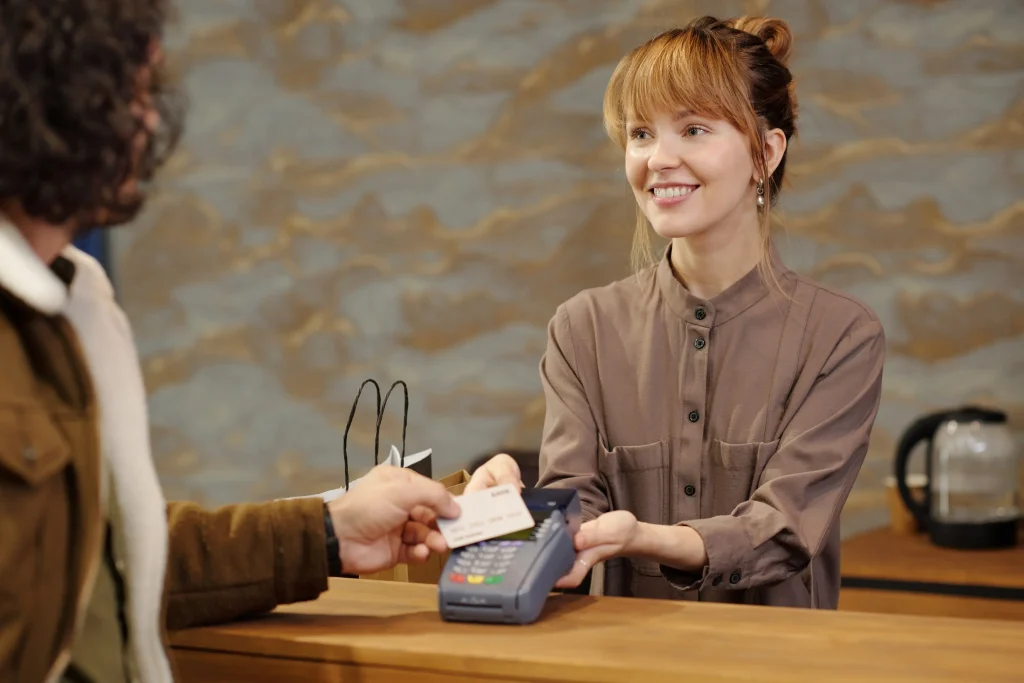
Shopify POS fits the platform by design. It feels natural to use. The setup is simple. It handles online and in-store sales in one place.
- Native functionality
- Built for omnichannel retail
- Smooth as butter
If you want to see what features you should pay attention to when picking a POS, head over to our blog 6 Key Retail POS System Features You Need.
2. Square POS
Square is a strong pick for simple setups. Many small shops and pop-up stores use it. It is quick to install and easy for staff to learn.
- Good for fast service
- Reliable system tools
- Easy card payments
If you want to know more about card payments, read How Can I Accept Credit Card Payments after this.
3. Lightspeed Retail POS
Lightspeed is great for stores with large stock lists. It handles many suppliers and deep inventory work. Multi-location stores often choose it.
- Strong inventory tools
- Great for many locations
4. Vend by Lightspeed
Vend is simple, steady, and friendly. Many stores like its clean layout. It works well with loyalty programs, too.
- Easy to use
- Good stock and loyalty tools
5. Clover POS
Clover offers custom hardware and many apps. It fits shops that want more control over their system.
- Custom hardware
- Wide app library
6. Toast POS
Toast works best for food service stores. Some restaurants use Shopify for merch sales, and Toast links well in those cases.
- Niche use case
- Smooth enough for hybrid setups
7. Erply POS
Erply suits stores that need deep data. It gives strong reporting and suits larger retail groups.
- Enterprise design
- Advanced reports
Let’s Decode Your POS and Shopify Match
Picking a POS can feel like sorting through a long menu. Everything looks useful, but only a few fit your daily flow. A quick side-by-side view makes the choice clearer. The table below shows how each system connects to Shopify and what type of store it suits best. It also highlights perks and cost notes that help you set the right budget.
Shopify POS Integration Comparison Table
Here is a clean look at how the main systems stack up.
| POS System | Ease of Integration | Best For | Unique Perks | Pricing Notes |
| Shopify POS | Instant | Omnichannel Retailers | Native tools | Simple tiers |
| Square | Very Easy | Small Retail and Pop Ups | Free plan | Hardware add-ons |
| Lightspeed | Moderate | Multi-location Retail | Deep inventory | Premium pricing |
| Vend | Easy | Boutiques | Great UI | Mid range |
| Clover | Moderate | Growing SMBs | Custom hardware | Varies by provider |
| Toast | Moderate | Restaurants | Industry specific | Quote based |
| Erply | Moderate | Enterprise | Advanced reporting | Custom pricing |
Each option has its own strengths. Some focus on simple setups. Others handle heavy stock. A few serve niche spaces like food service. The goal is to match the tool to the way your store works each day.
How POS Systems Sync with Shopify
A Shopify POS integration may seem simple on the surface, but a lot happens inside the system. Once the connection is live, Shopify and your POS share key data that keeps your store running in sync. This shared information helps you avoid mistakes and gives you a clear view of your entire business.
What Actually Gets Shared
Your POS and Shopify share stock data first. This keeps your item counts aligned so you do not sell items you no longer have. Orders flow in next. Both systems track the sale, so your reports stay clean. Customer data moves too. It stores names, emails, and purchase history in one place. If your POS supports loyalty tools, your points and gift cards sync as well. Reporting data is also shared, so your sales charts reflect the full picture.
Why Real-time Sync Matters
Real-time sync helps you avoid stockouts
- It speeds up customer support
- It keeps sales numbers correct
- It helps you make smarter choices
A fast sync gives your staff confidence. They trust the screen in front of them and can serve customers without delays.
If you want to learn how payments move through each step, read How Does Credit Card Payment Work. It breaks down the process in a simple way.
Choosing the Right POS for Your Shopify Store
Many store owners pick a POS based on their style of work. Some love deep data. Some want a clean layout with few steps. Others run many stores and need location support. Think about how you operate each day. The right POS should match your habits.
The Data-driven Retailer
Lightspeed or Erply fits you well. Both offer strong reports. They handle large stock lists and complex setups. If you rely on numbers to guide your choices, these 2 stand out.
The Minimalist
Square or Vend may suit you. They are clean and simple. Staff can learn them fast. They do not overload you with features you will not use.
The Multi-location Maven
Lightspeed shines here. It keeps all locations aligned. It also supports strong stock controls across many stores. This helps you avoid confusion when items move between sites.
The Brand Heavy Boutique Owner
Clover fits stores that focus on design and custom setups. The hardware looks clean. The apps give you flexibility. It is ideal for stores that want a modern in-store look.
The Shopify Loyalist
Shopify POS is your match. It works right away with your online store. It feels familiar from the first tap and avoids complex setup steps.
Hidden Costs to Watch Out for (Because Surprise Bills are Not Fun)
POS systems for Shopify solve real problems, but the price can climb fast if you miss a few details. Many retailers only look at the monthly plan and ignore the small extras that show up later. These hidden costs change your budget if you are not ready for them. A clear view now saves stress later.
Hardware Costs
Most POS tools need hardware. This includes card readers, tablets, printers, and cash drawers. Some brands work with basic devices. Others need custom gear. Make sure you know which items your POS requires before you commit.
Payment Processing Fees
Every sale has a fee. Rates change based on the processor you choose. Some POS systems for Shopify let you pick your own processor. Others lock you into theirs. Take time to check the rates for in-store, online, and card-not-present sales. These cents add up fast.
Add-ons and Apps
Many POS systems offer extra tools. Some are free. Some cost more each month. You might pay for loyalty, advanced reports, or staff tracking. These tools help, but your total bill grows with each one.
Multi-location Upcharges
If you run more than one store, expect extra fees. Most POS systems for Shopify charge per location. Some also charge for data syncing or extra staff accounts. Multi-store owners often miss these small costs during setup.
Want a full breakdown? Check our guide How Much Do POS Systems Cost for a clear view.
Integrating a POS with Shopify: Step-by-Step Guide without the Headaches
Connecting a POS to Shopify looks simple, but the setup works best when you follow steady steps. A clean setup gives you fewer issues later and builds a strong base for your store.
Step 1. Choose Your POS Partner Wisely
Pick a system that fits your size, stock, and daily flow. Think about your team and how they work. Choose a tool that feels natural for them. A good match saves hours each week.
Step 2. Install the App from the Shopify App Store
Each POS has its own app. Install it from the Shopify App Store. Log in with your account. Follow the prompts. This links your POS to your Shopify items.
Step 3. Map Products Properly
Make sure each product connects to the right SKU. Accurate mapping keeps your stock correct across both systems. This step prevents double-counting and missing items.
Step 4. Test Transactions Like a Pro
Run a few test sales. Try refunds, discounts, and exchanges. Make sure the data moves both ways. Fix any gaps now before you go live.
Step 5. Sync Payment Methods
Set up your payment tools. This includes your card reader and processor. Your payments should match your POS and Shopify settings.
If you want to learn how card tech works, read our guide How Does Wireless Card Payment Work.
Scaling with POS and Shopify for a Bright Future
Once your systems sync well, your store becomes easier to grow. You gain more control, more insight, and more room to plan the next steps. A strong POS and Shopify link gives you tools that support bigger goals.
Inventory Automation
Your stock updates itself in real time. This helps you avoid overselling. It also helps you order at the right time. You spend less time fixing errors and more time planning.
Customer Data Harmony
Your customer profiles stay aligned. This makes your marketing sharper. It also helps you track repeat buyers. A clean profile history gives you real insight into shopping habits.
Unified Online and In-store Promotions
You can run one promotion across all sales channels. Your discounts work online and in person. This gives customers a clear message and avoids confusion at checkout.
Better Sales Strategies
Your reports show the full picture. You see what sells, what sits, and what needs attention. This helps you plan smarter and use your budget where it matters.
Speaking of sales strategy, our blog: How to Increase Sales of POS Systems for Your Business shares clear steps you can use right away.
Final Thoughts
A POS system that integrates smoothly with Shopify is not just about convenience — it’s about control, clarity, and growth. When your inventory, sales, and customer data stay perfectly synced, your team works faster and your customers get a better experience at every touchpoint.
Whether you’re running a small retail shop or scaling a multi-location brand, the right Shopify POS integration can remove daily headaches and unlock new opportunities for smarter selling.
Want a POS setup that actually works for your business? Let POSCircle.com help you choose, install, and optimize the perfect POS system for your Shopify store — so you can focus on selling, not fixing systems.
Frequently Asked Questions
Q1. What POS systems integrate best with Shopify?
Shopify POS is the most seamless option, but other strong integrations include Square, Lightspeed, Vend, Clover, Toast, and Erply. The best choice depends on your store size, stock level, and workflow.
Q2. Do I need a POS system to use Shopify in a physical store?
Yes. If you sell in person, a POS system is essential. It connects your in-store sales with your Shopify inventory, payments, and reports, so everything stays synced.
Q3. Will my online and in-store inventory stay synced in real time?
Yes. A proper Shopify POS integration updates stock instantly across both channels, helping you avoid overselling and stock mismatches.
Q4. Is Shopify POS integration expensive?
Costs vary by system. While some setups are affordable, you should also consider hardware, processing fees, apps, and multi-location charges when budgeting.
Q5. Can Shopify POS handle customer profiles and loyalty programs?
Yes. Most POS systems that integrate with Shopify can sync customer data, purchase history, and loyalty rewards in one place.
Q6. Which POS is best for small Shopify stores?
Square, Vend, and Shopify POS are great for small retailers because they’re easy to use, affordable, and quick to set up.
Q7. Can Shopify integrate with POS systems for restaurants?
Yes. Systems like Toast can integrate with Shopify for hybrid setups where restaurants also sell merchandise or online products.
Q8. How do I choose the right POS system for my Shopify store?
Look at your stock size, daily sales volume, number of staff, locations, and how you like to manage data. The right POS should match your workflow, not complicate it.
Q9. Does Shopify POS support mobile and contactless payments?
Yes. Most Shopify-compatible POS systems support Apple Pay, Google Pay, tap-to-pay, and mobile wallets.
Q10. Can POS Circle help me choose and set up the right Shopify POS?
Absolutely. The POS Circle team helps retailers choose, install, and optimize the best POS system for Shopify based on their business needs.