Best all-in-one POS hardware gives you more than a way to take payments. It brings your checkout, sales, inventory, and payment tools into one setup that your staff can use without jumping between different devices. POS Circle offers POS solutions for retailers, restaurants, service businesses, and other growing businesses, with tools for payments, inventory, reporting, and multi-location management. This guide covers the features worth looking for, the benefits of an all-in-one setup, and what to consider before choosing your POS hardware.
Selection of Best All-in-One POS Hardware
All-in-one point-of-sale equipment depends on the nature of the company, how staff handle payments, and customer preferences for using POS system features during transactions. It makes sense for different businesses to use all-in-one POS hardware, as this type of system not only has all the key functions needed but also keeps everything well-organized.
If you’re still comparing different setups, understanding the different types of POS systems can help you determine which configuration fits your business best.
What Does a Complete POS Setup Include?
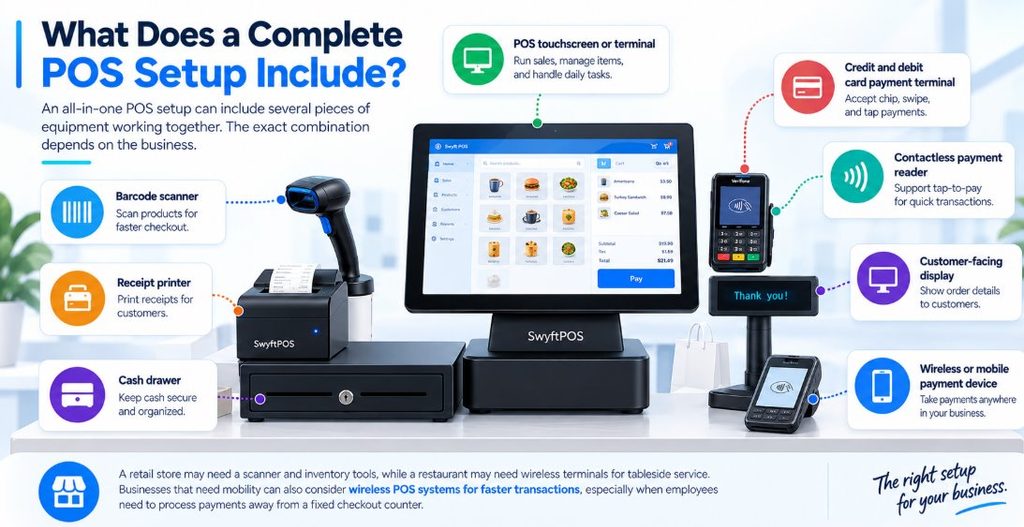
An all-in-one POS setup can include several pieces of equipment working together. The exact combination depends on the business.
Common equipment includes:
- POS touchscreen or terminal
- Credit and debit card payment terminal
- Contactless payment reader
- Barcode scanner
- Receipt printer
- Cash drawer
- Customer-facing display
- Wireless or mobile payment device
A retail store may need a scanner and inventory tools, while a restaurant may need wireless terminals for tableside service. Businesses that need mobility can also consider wireless POS systems for faster transactions, especially when employees need to process payments away from a fixed checkout counter.
What Features Should You Look For?
Buying a POS terminal is only the first step. The hardware needs to work properly with the software, payment processing, and other equipment used by your business. For a broader overview of what to look for, check these key retail POS system features before making a purchase.
1. Integrated Payment Options
Customers expect convenient ways to pay. Depending on the setup, that can include credit cards, debit cards, EMV chip cards, and contactless payments.
POS Circle provides payment solutions that support major payment methods, including contactless transactions and mobile wallets.
Having payment capabilities built into the POS environment can also reduce the need for employees to move between unrelated systems during checkout.
2. Barcode and Inventory Support
Barcode scanning is particularly useful for retailers with a large number of products. Instead of searching for each item manually, employees can scan a barcode and bring the product into the transaction. When the POS is connected with inventory management, sales can also be reflected in stock records.
POS Circle’s retail POS solutions include barcode scanning, inventory management, stock tracking, and reporting. If inventory control is a major priority, comparing POS systems with inventory management can help identify the features that matter most.
3. Receipt Management and Cash Management
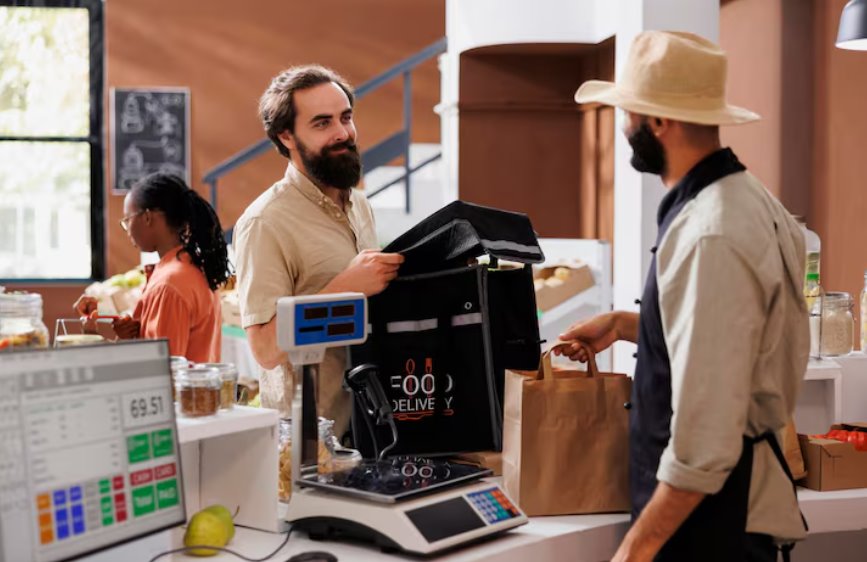
Paper receipts are still useful in many forms of business. If a compatible receipt printer is used, the transaction could be completed without the need for employees to enter information into a different system.
Businesses receiving cash should also make sure that their POS is able to connect to a cash drawer.
Before making any purchases, make sure that the printer, cash drawer, scanner, and payment terminal are all compatible with the POS system.
4. Connectivity
A point of sale system must have a reliable connection to carry out transactions and communicate with other business instruments.
Depending on the situation, businesses may decide to go with a Wi-Fi or Ethernet option, or choose to rely on a wireless connection. If a restaurant or a mobile business operates using a POS system, then they may have additional requirements since some transactions can occur away from a fixed counter.
Expert Recommendations: Establish Backup Connectivity
In cases where businesses are using a point-of-sale service, it would be wise to prepare for a backup connection. Doing so would minimize any disruptions in case of breakage in the standard internet connection.
What Are the Benefits of an All-in-One POS System?
An all-in-one setup can make the checkout area easier to manage, but the benefits go beyond saving counter space.
A Counter with More Space
Having too many devices can make the counter difficult to operate. The use of a computer, monitor, card reader, printer, scanner, and many cables can quickly fill the counter.
Using an all-in-one POS gets all the equipment in one place and, therefore, allows more room for performing other tasks.
Less Back and Forth
A sale can involve several small tasks. An employee may enter an order on the POS, use another machine for the payment, and then return to the register to print the receipt.
Having these functions work together means there is less moving between machines. The employee can finish the sale from the same workstation.
For a business that serves customers throughout the day, avoiding those extra steps can make checkout easier to handle during busy periods. This is especially useful in restaurants where pay-at-the-table technology can allow staff to complete transactions directly at the customer’s table.
Better Access to Business Information
A POS system can do more than pay for purchases. Depending on the software, the manager can access information on sales, inventory, employees, and more.
POS Circle provides reporting and business management features alongside its POS and payment solutions. That information can help owners make decisions about inventory, staffing, products, and sales performance.
Room to Grow
The POS solution you select currently may need to work with another business in the future as well.
Your business may add additional store counters, more employees, open up another store, or start selling online.
POS Circle solutions work with multi-location businesses and online and retail stores to allow businesses to move forward as their requirements change.
Selecting Suitable POS Equipment
Choosing the right POS equipment starts with understanding how your business handles everyday transactions. A busy restaurant, retail store, and service business may each require a different combination of hardware, so there is no single setup that works equally well for everyone.
Before investing in an all-in-one POS system, follow a typical transaction from beginning to end. Consider how employees find or scan products, apply discounts, accept payments, print receipts, process returns, and update inventory. Mapping out these steps can help you identify which hardware your team actually needs, where an all-in-one device could simplify multiple tasks, and which pieces of equipment may add unnecessary cost or complexity.
Guide to Buying: Ways to Pick
Operating System: Decide whether to have an Android operating system for ease and budget or Windows for strong and capable software and wide support of peripherals.
Type of business: Select mobile and battery-powered terminals for mobile vendors and food trucks and heavy-duty countertop touch screens for point of sale in retail and full service.
Total cost of purchase: Take care of one-time hardware costs of buying your system (ranging from $300 to $2,000) and look for compulsory contracts for software services.

Check What Works Together
Before proceeding with the order, consider checking this. The receipt printer or the barcode scanner may seem compatible with your POS system, but that is not a guarantee that they will be operational with the hardware. Ask about compatibility with:
- Payment terminals
- Barcode scanners
- Receipt printers
- Cash drawers
- Customer displays
- Kitchen printers
- Network connections
- POS software
Check future equipment compatibility before installation to avoid connection issues later.
Calculate the Full Cost
The price of the terminal is only part of the investment.
| Cost area | What to check |
| Hardware | Terminal, scanner, printer, drawer, and payment device |
| Software | Monthly or annual POS subscription |
| Payment processing | Processing rates and transaction fees |
| Installation | Setup, configuration, and training |
| Support | Technical assistance and ongoing service |
| Add-ons | Extra applications or features |
| Expansion | Additional terminals and accessories |
Looking at the complete cost gives you a more realistic comparison between POS providers. If you’re comparing providers based on the total investment rather than hardware alone, a POS system cost comparison can provide useful context.
Consider Future Needs
Don’t just stop at the first registration point. Consider whether you’re likely to expand, add employees, add an online component, or allow more payment options.
All-in-One POS v. Separate Hardware: Which is Better?
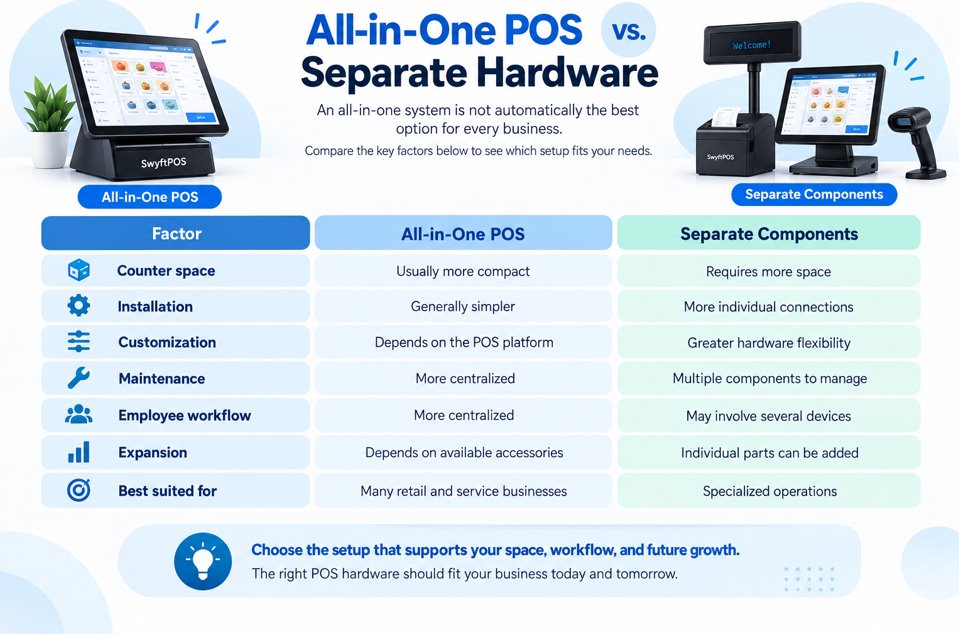
An all-in-one system is not automatically the best option for every business.
| Factor | All-in-One POS | Separate Components |
| Counter space | Usually more compact | Requires more space |
| Installation | Generally simpler | More individual connections |
| Customization | Depends on the POS platform | Greater hardware flexibility |
| Maintenance | More centralized | Multiple components to manage |
| Employee workflow | More centralized | May involve several devices |
| Expansion | Depends on available accessories | Individual parts can be added |
| Best suited for | Many retail and service businesses | Specialized operations |
Why Consider POS Circle?
POS Circle brings the hardware, payment processing, and business management tools into one solution.
For retail businesses, its solutions can connect checkout with inventory, barcode scanning, sales reporting, and other retail functions. Restaurant businesses can use POS tools designed around ordering, payments, and tableside transactions.
POS Circle also supports businesses that operate across multiple locations and businesses that sell through e-commerce channels.
Businesses can also compare different restaurant-focused options by reviewing the most popular restaurant POS systems before deciding which features are necessary for their operation.
Need Help Selecting Your Setup?
POS hardware decisions become easier when you know exactly what your business needs. Contact POS Circle to discuss your business type, number of locations, payment methods, inventory requirements, and plans for growth.
Get a free POS consultation from POS Circle and find a setup that fits your business.
Questions to Ask Before Buying
Before you decide on all-in-one point-of-sale equipment, you should ask the supplier the following questions:
- Is the solution EMV and contactless-enabled?
- Can you connect a cash drawer and a scanner? Is receipt printing supported?
- Does inventory update with each sale?
- Can I manage more than one location?
- Can the system connect with e-commerce platforms?
- What happens if the internet connection fails?
- What software and processing fees apply?
- What support and training are included?
Clear answers to these questions can prevent unexpected costs and compatibility problems later.
Summary
When choosing the best POS equipment, the most expensive option is not always the right one. Your decision should be based on the specific needs of your business. Consider your employees, customers, available counter space, preferred payment methods, inventory requirements, connectivity, and future growth plans to find the right combination of POS hardware and software.
Frequently Asked Questions
1. What is all-in-one POS hardware?
All-in-one POS hardware combines essential point-of-sale equipment, such as a touchscreen terminal, payment device, barcode scanner, receipt printer, and cash drawer, into a connected setup. The exact equipment depends on the needs of the business.
2. What is the best all-in-one POS hardware for a small business?
The best all-in-one POS hardware depends on your business type, transaction volume, available space, and required features. A small business may benefit from a compact terminal with integrated payment processing, while retailers may also need barcode scanning and inventory management.
3. How much does all-in-one POS equipment cost?
All-in-one POS equipment can cost around $300 to $2,000 or more, depending on the hardware and features included. Businesses should also consider software subscriptions, payment processing fees, installation, support, and additional accessories.
4. What equipment is needed for an all-in-one POS system?
Common equipment includes a touchscreen POS terminal, card payment terminal, contactless reader, barcode scanner, receipt printer, cash drawer, customer display, and mobile payment device. Not every business needs all of these components.
5. What should I check before buying POS hardware?
Check that the hardware is compatible with your POS software and payment system. You should also consider connectivity, supported payment methods, inventory needs, total cost, available space, and whether you can add equipment or additional registers as your business grows.