Choosing the right Point of Sale system is an important investment for any business. Costs vary depending on hardware, software, payment processing, and business requirements. Understanding what influences pricing helps business owners compare available options, avoid unexpected expenses, and select a solution that supports long-term growth while staying within budget and meeting operational needs.
Quick Answer
| Most businesses can expect a POS system cost between $0 and $3,000 upfront, with monthly software fees ranging from $30 to $300 or more depending on features and business size. Total costs vary based on hardware, payment processing, integrations, and optional services, making it important to compare complete POS pricing rather than focusing only on the initial purchase price. |

Table of Contents
- What Is a POS System?
- What Determines POS System Cost?
- Typical POS Pricing in 2026
- One-Time and Ongoing Costs
- Choosing the Right POS Solution
- Common Pricing Mistakes
- Final Thoughts
- FAQs
What Is a POS System?
Definition
A Point of Sale system combines software and hardware to process customer payments while managing inventory, sales reporting, customer information, and daily business operations. Modern POS systems help businesses improve efficiency by bringing multiple functions together within one centralized platform.
Whether you operate a retail store, restaurant, salon, or service business, a POS system simplifies everyday operations while providing valuable business insights.
What Determines POS System Cost?
The total POS system cost depends on several factors. Some businesses only require basic payment processing, while others need advanced inventory management, employee controls, customer loyalty programs, and detailed reporting.
The size of your business also affects pricing. A single location with one checkout terminal will generally cost much less than a business operating multiple locations with several registers.
Cloud-based systems may require lower upfront investments but include monthly subscription fees, while traditional systems often involve higher initial purchases with fewer recurring charges. If you’re deciding between deployment models, compare cloud vs. on-premise POS systems before making your investment.
Main Expenses to Consider
Before comparing providers, it is important to understand where your investment goes. Most businesses pay for more than just the software.
Hardware
Hardware typically includes payment terminals, touchscreen displays, barcode scanners, receipt printers, cash drawers, and customer-facing displays. The number of devices required depends on your business size and daily transaction volume. Businesses looking for faster and more flexible checkout options may also benefit from exploring the best wireless POS systems available today.
Software
Software subscriptions usually include payment processing, reporting, inventory management, customer profiles, employee permissions, and business analytics. More advanced plans include additional features designed for growing businesses.
Payment Processing
Most providers charge transaction fees whenever customers make purchases using credit cards, debit cards, or digital wallets. These fees vary between providers and should always be considered when comparing total costs.
Installation and Setup
Some providers include setup and onboarding within their subscription, while others charge separate implementation fees for installation, data migration, and employee training.
Ongoing Support
Reliable customer support, software updates, security improvements, and technical assistance are often included within monthly subscription plans, although some providers charge separately for premium support.
Typical POS Pricing in 2026
Although pricing varies widely, the following ranges provide a useful starting point for most businesses.
| Expense | Typical Cost |
| Software subscription | $30 to $300 per month |
| Hardware | $300 to $3,000 |
| Installation | Often included or additional fee |
| Payment processing | Transaction based |
These estimates vary depending on your industry, number of locations, required features, and selected provider.
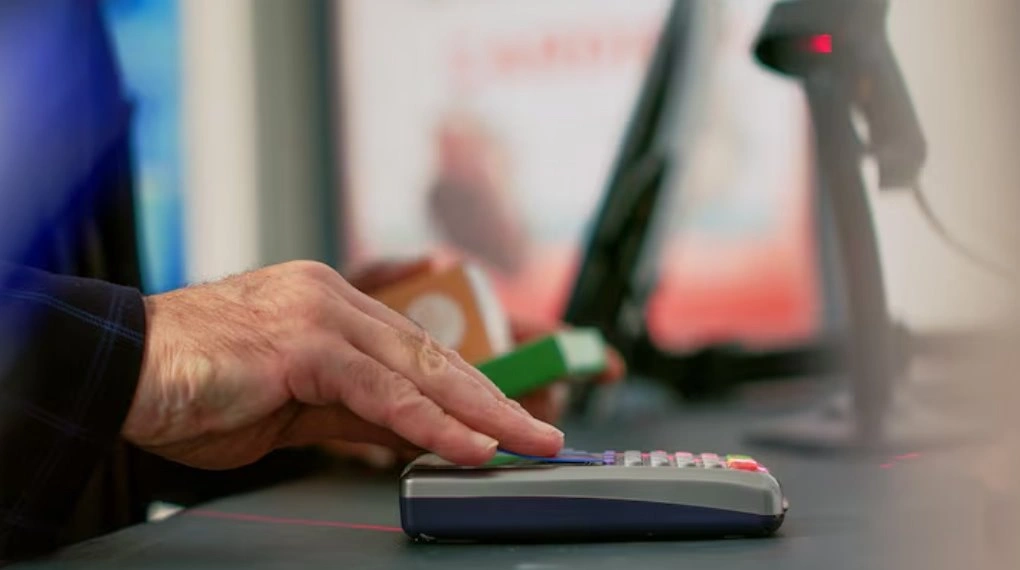
One-Time Costs Versus Monthly Costs
Understanding one-time and recurring costs helps businesses budget more accurately. Hardware, installation, and setup are usually one-time expenses, while software subscriptions, payment processing fees, and support services are ongoing costs. Comparing total ownership costs gives a clearer picture than looking only at the initial purchase price.
Why the Cheapest POS Is Not Always the Best Value
Many businesses choose the lowest-priced option hoping to reduce expenses. However, inexpensive systems may lack essential features, provide limited customer support, or require costly upgrades later.
A slightly higher investment often delivers better reporting, stronger inventory management, improved payment security, and software integrations that save time every day. For example, businesses that rely on stock accuracy should consider the benefits of POS systems with advanced inventory management rather than choosing solely based on price.
Looking beyond price helps businesses choose solutions that provide better long-term value rather than simply reducing initial costs.
Get a Free Personalized Quote
Every business has different requirements, making it important to compare complete pricing before investing in a new system. Speak with a trusted provider to receive a solution tailored to your business size, industry, and operational needs.
You can also request a Free Personalized Quote to better understand your expected costs before making a final decision. For more guidance, download our Free POS Buyer’s Checklist to compare features and pricing before you choose a system. (Insert internal link on “Free POS Buyer’s Checklist”)
Factors That Increase POS Costs
Several factors can increase your investment, including multiple business locations, advanced inventory tools, customer loyalty programs, and software integrations. Premium support services may also add to monthly costs.
Choosing only the features your business needs helps control expenses while supporting future growth.
How to Choose the Right POS System
The right POS solution should support your current business operations while allowing room for future growth. Instead of comparing prices alone, evaluate the overall value each provider offers.
Businesses should consider several important factors before making a decision.
- Ease of use for employees
- Payment methods supported
- Inventory management features
- Reporting and analytics
- Customer loyalty tools
- Accounting integrations
- Mobile accessibility
- Reliable customer support
Selecting a scalable system helps avoid expensive upgrades as your business grows.
Hidden Costs to Watch For
Some providers advertise attractive starting prices but charge additional fees later. Understanding these costs before signing a contract helps prevent unexpected expenses.
Payment Processing Fees
Transaction fees are one of the largest ongoing expenses. Even a small difference in processing rates can have a significant impact on yearly operating costs for businesses with high sales volumes. Comparing different credit card processing solutions can help reduce these ongoing expenses.
Software Upgrades
Basic subscription plans may not include advanced reporting, inventory management, or customer loyalty features. Adding these tools later may increase monthly costs.
Hardware Replacements
Payment terminals, barcode scanners, and receipt printers may eventually require replacement due to wear or changing technology.
Contract Fees
Some providers require long-term agreements or charge early cancellation fees. Reviewing contract terms carefully helps businesses avoid unnecessary expenses.
Is a Cloud-Based POS More Affordable?
Cloud-based POS systems often require lower upfront costs because businesses pay monthly subscription fees instead of purchasing software licenses.
They also provide automatic updates, remote access, and greater flexibility, making them a popular choice for growing businesses.
Comparing Low-Cost and Premium POS Solutions
Every business has different requirements, making it important to compare features instead of focusing only on price.
| Feature | Basic POS | Advanced POS |
| Payment processing | Standard | Advanced payment options |
| Reporting | Basic reports | Detailed analytics |
| Inventory | Limited | Advanced inventory management |
| Customer tools | Basic records | Loyalty and customer profiles |
Choosing the right system depends on how your business operates today and how you expect it to grow in the future.
Common Mistakes Businesses Make When Comparing POS Pricing
Many businesses focus only on the monthly subscription price and overlook other expenses. Payment processing fees, unnecessary features, and limited scalability can increase long-term costs.
Comparing complete POS pricing instead of advertised prices helps businesses make smarter purchasing decisions.
Calculating Your Total Investment
Before choosing a provider, calculate the total cost of ownership instead of focusing only on upfront pricing. Include hardware, software, payment processing, installation, training, and ongoing services to identify the solution that offers the best long-term value.

Final Thoughts
The POS system cost depends on your business needs and the features you choose. Comparing overall value, scalability, customer support, and long-term ownership costs helps you select a solution that improves efficiency and supports future business growth.
Related Resources
Read next:
Learn How to Choose the Right POS System for Your Business before making your investment.
Explore What Is a POS System and How It Works for Small Businesses? to better understand the features and benefits of modern POS solutions.
FAQs
1. How much does a POS system cost in 2026?
The average POS system cost ranges from about $30 to $300 per month for software, while hardware can cost between $300 and $3,000 depending on your business needs. Total costs also include payment processing, optional features, and installation services, making it important to compare complete pricing before choosing a provider.
2. What affects POS system pricing?
Several factors influence pricing, including hardware requirements, software features, payment processing fees, number of business locations, employee accounts, and optional integrations. Businesses with advanced inventory management or customer loyalty programs typically pay more than those using basic payment processing systems.
3. Are cloud-based POS systems cheaper?
Cloud-based systems often require lower upfront investments because businesses pay monthly subscription fees instead of purchasing expensive software licenses. They also provide automatic updates, remote access, and easier maintenance, making them a popular choice for many growing businesses.
4. Are there hidden costs when buying a POS system?
Yes. Businesses should review payment processing fees, hardware replacement costs, software upgrades, implementation charges, contract terms, and premium support services before making a purchase. Understanding these expenses helps prevent unexpected costs after the system has been installed.
5. How do I choose the right POS system?
Choose a solution that matches your business size, industry, and long-term goals. Compare features, scalability, payment options, reporting tools, customer support, integrations, and total ownership costs rather than selecting a system based only on its advertised monthly price.