Running a business today means accepting fast, secure, and convenient payments wherever customers choose to shop. Mobile payment processing allows businesses to accept payments through mobile card readers or mobile POS devices using smartphones or tablets. Understanding these two methods helps small businesses improve customer service, increase flexibility, and process payments with confidence.
Quick Answer
| Mobile payment processing allows businesses to accept customer payments using smartphones, tablets, or portable payment devices. The two most common methods are mobile card readers that connect to a smart device and mobile POS systems that combine payment processing with sales management, inventory tracking, and reporting. Choosing the right solution depends on your business size and payment needs. |
Table of Contents
- What Is Mobile Payment Processing?
- How Mobile Payments Work
- The Two Main Mobile Payment Methods
- Benefits for Small Businesses
- Choosing the Right Mobile Solution
- Common Mistakes to Avoid
- Final Thoughts
- FAQs
What Is Mobile Payment Processing?
Definition
Mobile payment processing is a payment solution that allows businesses to accept customer payments using portable devices such as smartphones, tablets, or wireless payment terminals. These systems securely process transactions while giving businesses greater flexibility to serve customers from almost any location.
Unlike traditional checkout counters, mobile payment solutions allow businesses to complete transactions anywhere. Whether you operate a retail store, restaurant, food truck, market stall, or provide services on location, mobile payments help create faster and more convenient customer experiences.
Many solutions also include reporting tools, inventory management, customer information, and digital receipts within a single platform. If you’re exploring the advantages of portable payment technology, you can also learn more about the benefits of mobile payments for small businesses.
How Does Mobile Payment Processing Work?
Although payments are completed within seconds, several secure steps take place behind the scenes.
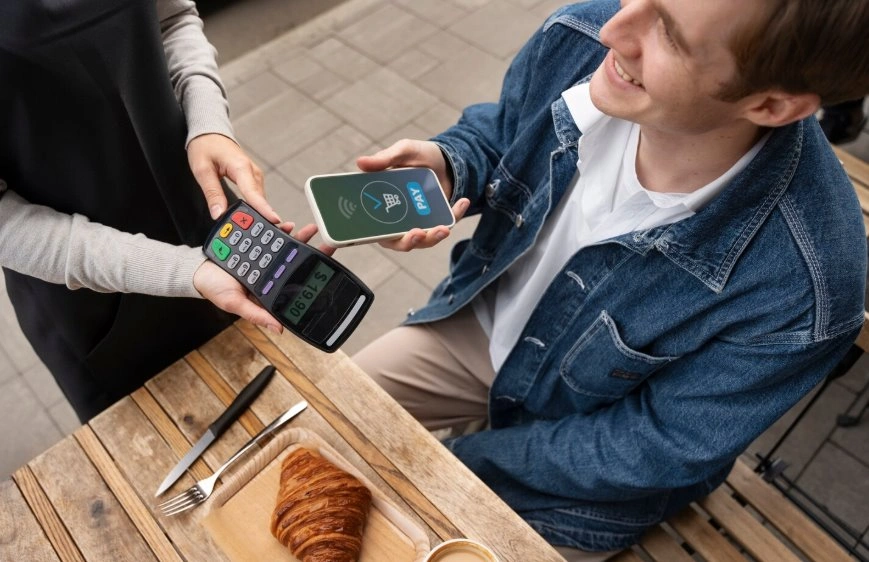
First, the customer chooses a payment method. They may tap a contactless card, insert a chip card, swipe a magnetic stripe card, or pay using a digital wallet.
The payment information is securely transmitted to the payment processor for authorization. Once approved, the transaction is completed and both the customer and business receive confirmation.
The system also records the transaction, updates sales information, and stores payment records for reporting purposes. If you’re unfamiliar with what happens after a customer taps or inserts their card, here’s a detailed guide explaining how credit card payments work.
The Two Main Mobile Payment Methods
Businesses can choose between two primary mobile payment solutions depending on how they operate.
Mobile Card Readers
A mobile card reader connects to a smartphone or tablet and allows businesses to accept credit cards, debit cards, and contactless payments almost anywhere.
These solutions are popular with small businesses because they are affordable, portable, and easy to set up.
Mobile POS Systems
A mobile POS solution provides much more than payment processing. Along with accepting payments, it can manage inventory, customer information, employee activity, reporting, and daily business operations from one application.
Businesses expecting future growth often prefer mobile POS systems because they combine multiple business functions into one platform.
Which Businesses Benefit Most?
Almost any business that accepts customer payments can benefit from mobile payment technology.
- Retail stores
- Restaurants and cafes
- Food trucks
- Pop-up shops
- Service providers
- Home repair businesses
- Beauty professionals
- Event vendors
- Healthcare providers
- Delivery businesses
Businesses that frequently serve customers away from a traditional checkout counter often experience the greatest improvements.
Key Features to Look For
Not every provider offers the same capabilities. Comparing features helps businesses select a solution that supports both current operations and future growth.
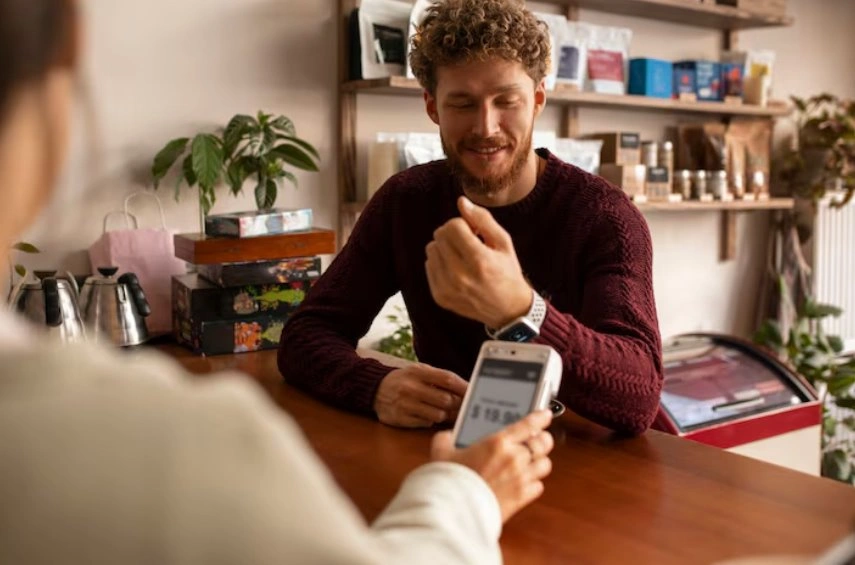
Payment flexibility is one of the most important considerations. Customers increasingly expect businesses to accept contactless payments, mobile wallets, and traditional credit or debit cards.
Reporting tools help owners monitor sales performance while inventory management simplifies stock control. Customer management features support loyalty programs and personalized promotions.
Reliable security features, cloud backups, and responsive customer support also contribute to long-term success. Businesses planning to scale should also look for integrated POS systems that connect payments with inventory and reporting.
Mobile Payment Processing Versus Traditional Payment Systems
| Feature | Traditional System | Mobile Solution |
| Portability | Fixed location | Works almost anywhere |
| Setup | Higher equipment needs | Simple setup |
| Payments | Standard card payments | Multiple payment methods |
| Flexibility | Limited | High |
Free Mobile Payments Starter Guide
Choosing the right payment solution becomes much easier when you understand your business requirements. Speak with a trusted provider to compare available options and find a solution that matches your daily operations. You can also download our Free Mobile Payments Starter Guide to learn what features matter most before making your decision. For additional advice, explore our Mobile Payment Solutions Guide.
Why More Small Businesses Are Going Mobile
Customer expectations continue to evolve. People want faster checkouts, flexible payment methods, and the convenience of paying wherever they shop.
Mobile payment technology helps businesses meet these expectations while improving operational efficiency. Staff spend less time managing cash, transactions are completed more quickly, and business owners gain immediate access to sales reports through their payment platform.
For growing businesses, adopting mobile POS technology can also reduce manual work by bringing payment processing, reporting, and inventory management together in one place.
Benefits of Mobile Payment Processing
Modern payment technology offers advantages that go far beyond accepting card payments. Businesses can improve efficiency, increase flexibility, and create a better customer experience.
Faster Checkout
Portable payment devices reduce waiting times by allowing employees to complete transactions wherever customers are located.
Greater Flexibility
Businesses are no longer limited to a fixed checkout counter. Payments can be accepted in store, at customer locations, during events, or while making deliveries.
Better Customer Experience
Customers appreciate having multiple payment options, including contactless cards and digital wallets. Faster transactions often lead to higher customer satisfaction. Many businesses also improve customer retention by combining mobile payments with POS systems that include built-in loyalty programs.
Improved Business Insights
Many systems automatically generate reports that help owners monitor sales, track performance, and identify business trends without manual record-keeping.
Stronger Security
Modern payment solutions use encryption and secure payment technology to protect sensitive customer information while reducing fraud risks.
Mobile Card Reader Versus Mobile POS
Choosing the right solution depends on how your business operates.
| Feature | Mobile Card Reader | Mobile POS |
| Primary Use | Payment acceptance | Complete business management |
| Inventory | Limited | Advanced inventory tracking |
| Reporting | Basic | Detailed business reports |
| Best For | Small businesses | Growing businesses |
How to Choose the Right Mobile Payment Solution
Before investing in a payment solution, consider how your business operates each day.
Businesses with simple payment requirements may only need a portable card reader. However, companies managing inventory, employees, customer information, and reporting often benefit from a more advanced system.
Compare payment processing fees, software features, hardware compatibility, customer support, and scalability before making your decision. Selecting a solution that grows with your business helps avoid unnecessary upgrades later.
Common Mistakes Businesses Make
Many businesses choose a payment solution based only on price. While affordability is important, selecting a system with limited features may increase costs over time.
Another common mistake is overlooking payment processing fees. Even small differences in transaction rates can significantly affect yearly expenses.
Businesses should also evaluate customer support, software updates, security features, and integration capabilities before choosing a provider. A reliable solution provides greater long term value than simply offering the lowest monthly cost.
Is Mobile Payment Processing Worth It?
For most small businesses, the answer is yes.
Portable payment technology improves customer convenience while allowing employees to complete transactions more efficiently. Businesses can accept payments wherever customers are located, reducing queues and creating a smoother buying experience.
The combination of faster service, flexible payment options, improved reporting, and better operational efficiency often delivers long-term value that outweighs the initial investment.

Final Thoughts
Mobile payment processing gives small businesses the flexibility to accept payments wherever customers choose to buy. By comparing features, payment costs, security, and scalability, businesses can choose a solution that supports both current operations and future growth.
Whether you select a simple card reader or a complete mobile POS system, investing in the right technology helps improve customer satisfaction, simplify daily operations, and strengthen long-term business success.
Related Resources
Read next:
Learn How Much Does a POS System Cost in 2026? Full Pricing Breakdown to understand the full cost of modern payment solutions.
Explore Retail POS Systems: How to Choose the Right Fit for Your Store to compare features before investing in new technology.
FAQs
1. What is mobile payment processing?
Mobile payment processing allows businesses to accept customer payments using smartphones, tablets, or portable payment devices. Transactions are processed securely while giving businesses the flexibility to accept payments beyond a traditional checkout counter, making it ideal for retailers, service providers, restaurants, and businesses operating in different locations.
2. What is the difference between a mobile card reader and a mobile POS?
A mobile card reader primarily accepts customer payments using a smartphone or tablet. A mobile POS system offers additional features such as inventory management, customer information, employee management, reporting, and sales tracking, making it a more complete solution for growing businesses.
3. Is mobile payment processing secure?
Yes. Modern payment solutions use encryption, secure payment gateways, and industry security standards to protect customer payment information. Choosing a trusted provider with strong security features helps businesses reduce fraud risks while maintaining customer confidence during every transaction.
4. Which businesses benefit most from mobile payment solutions?
Retail stores, restaurants, food trucks, delivery services, beauty professionals, healthcare providers, market vendors, and home service businesses all benefit from portable payment technology. Businesses that regularly serve customers away from a fixed checkout counter often experience the greatest improvements in efficiency and convenience.
5. How do I choose the right mobile payment solution?
Compare payment processing fees, hardware requirements, software features, reporting tools, customer support, security, and scalability. Selecting a solution that matches your current business needs while supporting future growth helps maximize your investment and ensures smoother day-to-day operations.