Running a successful retail business starts with choosing technology that supports both daily operations and future growth. Select a retail POS system by evaluating your business needs, comparing essential features, and choosing a provider that can scale as your store expands. Following these three steps helps you invest with confidence while improving efficiency and customer satisfaction.
Quick Answer
| The best retail POS system is one that matches your store size, supports your daily operations, and offers room for future growth. Look beyond price by comparing inventory management, payment options, reporting, customer support, and scalability. Choosing the right POS for retail helps improve efficiency, customer service, and long-term business success. |
What Is a Retail POS System?
A retail POS system combines payment processing, inventory management, sales reporting, customer information, and business operations into one centralized platform. It allows retailers to process transactions while improving efficiency, tracking inventory, and making informed business decisions.
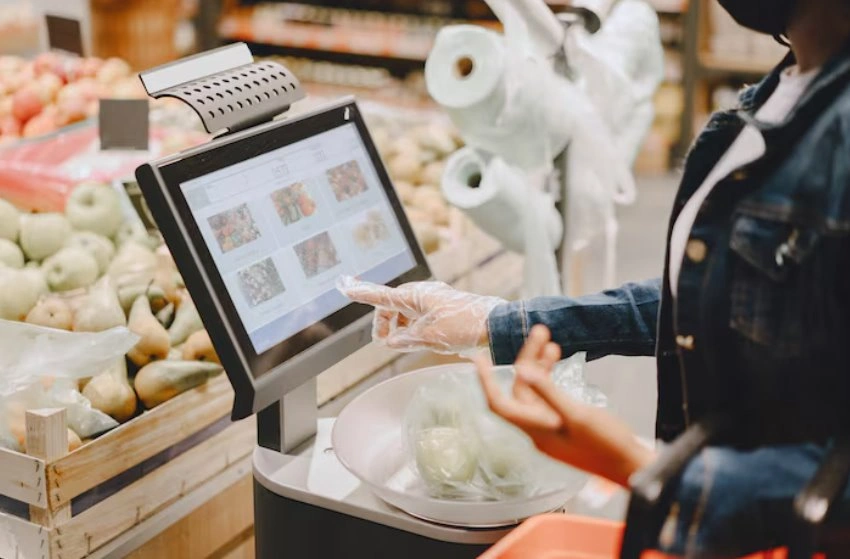
Unlike traditional cash registers, modern POS systems manage much more than customer payments. They help retailers monitor inventory, generate sales reports, track employee performance, manage customer loyalty programs, and simplify everyday operations from one dashboard.
Whether you operate a clothing boutique, grocery store, electronics retailer, or specialty shop, the right POS solution can improve productivity while creating a better shopping experience.
Why Choosing the Right System Matters
Your POS system becomes one of the most important tools in your business. Every sale, inventory update, customer transaction, and report depends on its performance.
A system that lacks important features can slow checkout, create inventory errors, and make daily management more difficult. Choosing the right solution helps your business operate more efficiently while supporting future expansion.
As your store grows, your technology should grow with it. Investing in a scalable solution today can help you avoid costly system replacements later.
Three Steps to Choosing the Right POS
Selecting the right system becomes much easier when you follow a structured approach.
Step 1: Understand Your Business Requirements
Start by evaluating how your business operates today. Consider the number of products you sell, the number of employees using the system, your payment methods, and whether you operate from one or multiple locations.
You should also think about plans. A business expecting to expand may require features that are not immediately necessary but will become valuable later.
Step 2: Compare Essential Features
Not every provider offers the same capabilities. Comparing features allows you to select a solution that supports your daily operations without paying for unnecessary tools.
Look for functions that improve both operational efficiency and customer service.
- Inventory management
- Multiple payment methods
- Sales reporting
- Customer loyalty programs
- Employee management
- Accounting integrations
- Mobile access
- Reliable customer support
Step 3: Evaluate Long-Term Value
Price should never be the only deciding factor. A lower monthly subscription may lack features that save significant time every day.
Compare software updates, customer support, scalability, security, reporting capabilities, and integration options before making your final decision. A solution that delivers greater value over several years is often the smarter investment.
Essential Features Every Retail Store Needs
Modern retail businesses rely on technology that simplifies operations while providing accurate business information.
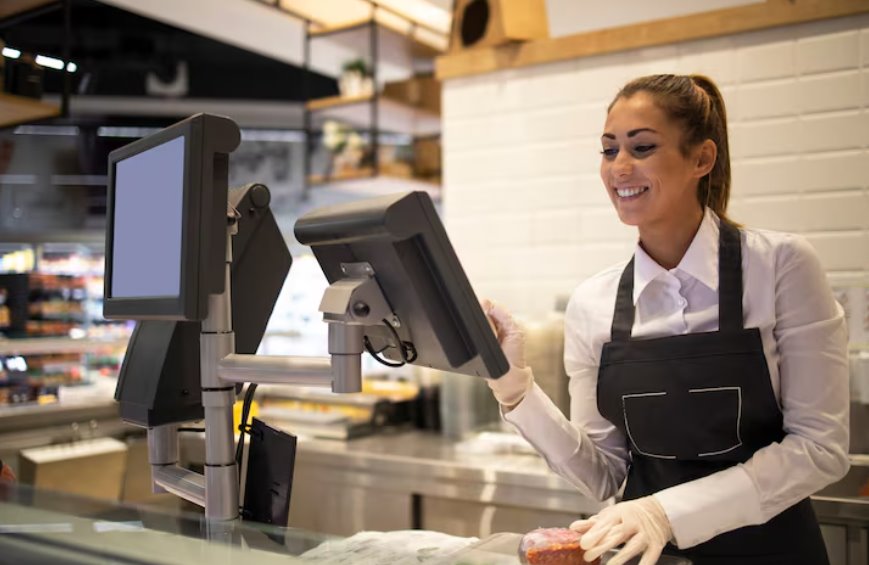
Inventory Management
Automatic inventory updates help retailers maintain accurate stock levels, reduce overselling, and improve purchasing decisions.
Flexible Payment Options
Customers expect businesses to accept credit cards, debit cards, mobile wallets, contactless payments, and other convenient payment methods.
Reporting and Analytics
Detailed reporting helps store owners monitor sales performance, identify bestselling products, understand customer buying patterns, and make informed business decisions.
Customer Management
Many systems allow businesses to build customer profiles, manage loyalty programs, and create personalized promotions that encourage repeat purchases.
Cloud Access
Cloud-based systems allow owners to review sales, inventory, and reports remotely from almost any location using an internet connection.
Get a Custom Retail POS Quote
Every retail business has different operational needs. Speaking with an experienced provider helps you compare available features and receive recommendations based on your store size and future goals. You can also request a Custom Retail POS Quote to better understand which solution offers the best value. For additional guidance, explore our Retail POS Buyer’s Guide.
How Different Retail Stores Benefit From POS Systems
Although every retailer has unique requirements, modern POS systems provide valuable benefits across many industries.
Clothing stores use inventory tracking to manage sizes and product variations. Grocery stores process high transaction volumes quickly while maintaining accurate stock records. Specialty retailers use customer profiles and loyalty programs to encourage repeat purchases. Electronics stores benefit from detailed reporting and product tracking.
Regardless of the industry, choosing the right POS for retail helps improve operational efficiency while creating a better customer experience.
Benefits of Choosing the Right Retail POS System
Investing in the right system provides advantages that extend beyond payment processing. A modern retail POS system helps retailers improve efficiency, reduce manual work, and create a better shopping experience.
Faster Checkout
Quick transactions reduce customer waiting times and improve satisfaction, especially during busy shopping periods.
Better Inventory Control
Automatic inventory updates help businesses maintain accurate stock levels, reduce overselling, and make smarter purchasing decisions.
Improved Sales Reporting
Real-time reports allow store owners to monitor sales performance, identify popular products, and understand customer buying trends.
Stronger Customer Relationships
Customer profiles and loyalty programs help retailers deliver personalized promotions and encourage repeat purchases.
Easier Employee Management
Managers can monitor employee performance, assign permissions, and review completed transactions from one system.
Comparing Basic and Advanced Retail POS Systems
| Feature | Basic POS | Advanced POS |
| Inventory | Basic tracking | Advanced inventory management |
| Reporting | Standard reports | Real-time analytics |
| Customer Tools | Limited | Loyalty programs and customer profiles |
| Business Growth | Basic support | Scalable for multiple locations |
Cloud-Based Versus Traditional POS Systems
Many retailers choose cloud-based systems because they offer greater flexibility and lower upfront costs. Automatic software updates, remote access, and cloud backups help simplify daily operations while reducing maintenance requirements.
Traditional systems may require a larger initial investment but can still be suitable for businesses with specific operational requirements. The best choice depends on your budget, store size, and long-term business goals.
| Comparison | Cloud Based | Traditional |
| Upfront Cost | Lower | Higher |
| Software Updates | Automatic | Manual |
| Remote Access | Yes | Limited |
| Scalability | Easy | More Limited |
Common Mistakes When Choosing a POS System
Many retailers focus only on price instead of overall value. Choosing a system with limited features may lead to higher costs as the business grows.
Another common mistake is overlooking customer support. Reliable technical assistance becomes essential whenever payment issues or software problems occur.
Businesses should also evaluate integration capabilities. A POS system should work smoothly with accounting software, ecommerce platforms, and inventory management tools to reduce manual work and improve efficiency.
Finally, selecting a system that cannot scale with future growth often results in expensive upgrades or complete replacements later.
Final Thoughts
Choosing the right retail POS system is an investment that supports both daily operations and future business growth. By comparing features, scalability, customer support, and long-term value, retailers can select a solution that improves efficiency while delivering a better customer experience.
The right technology helps simplify store management, improve inventory accuracy, and provide the business insights needed to make smarter decisions as your retail business continues to grow.
Related Resources
Read next:
Learn How Much Does a POS System Cost in 2026? Full Pricing Breakdown to better understand pricing before choosing a solution.
Explore What Is a POS System and How Does It Work for Small Businesses? to learn more about the features and benefits of modern POS technology.
FAQs
1. What is a retail POS system?
A retail POS system is a combination of software and hardware that processes customer payments while managing inventory, sales reporting, employee activity, and customer information. It centralizes daily retail operations, helping businesses improve efficiency, reduce manual work, and make better business decisions through accurate real-time data.
2. Why is a POS system important for retail stores?
A POS for retail helps businesses process transactions faster, manage inventory more accurately, generate detailed reports, and improve customer service. It also reduces manual errors, simplifies store management, and provides valuable insights that support better purchasing and business decisions as the store grows.
3. What features should I look for in a retail POS system?
Look for inventory management, multiple payment options, reporting and analytics, customer loyalty tools, employee management, accounting integrations, cloud access, data security, and reliable customer support. Choosing features that match your operational needs ensures your POS system continues supporting your business as it expands.
4. Are cloud-based POS systems better for retailers?
Cloud-based systems are popular because they provide remote access, automatic software updates, cloud backups, and lower upfront costs. They are particularly beneficial for growing retailers that need flexibility, while traditional systems may still suit businesses with specific operational requirements.
5. How do I choose the right POS system for my retail store?
Begin by identifying your business requirements and comparing available features. Evaluate inventory management, reporting, payment flexibility, scalability, integrations, customer support, and total long-term value. Selecting a solution that supports both current operations and future growth will provide the greatest return on your investment.